> For the complete documentation index, see [llms.txt](https://docs.api.market/llms.txt). Markdown versions of documentation pages are available by appending `.md` to page URLs; this page is available as [Markdown](https://docs.api.market/how-to-subscribe-to-a-api-product.md).
# How to subscribe to a API Product?
API Product can be used by everyone after subscribing to any of the various plans available.
### :rocket: Step-by-Step Subscription Guide
#### Step 1: Browse and Select an API
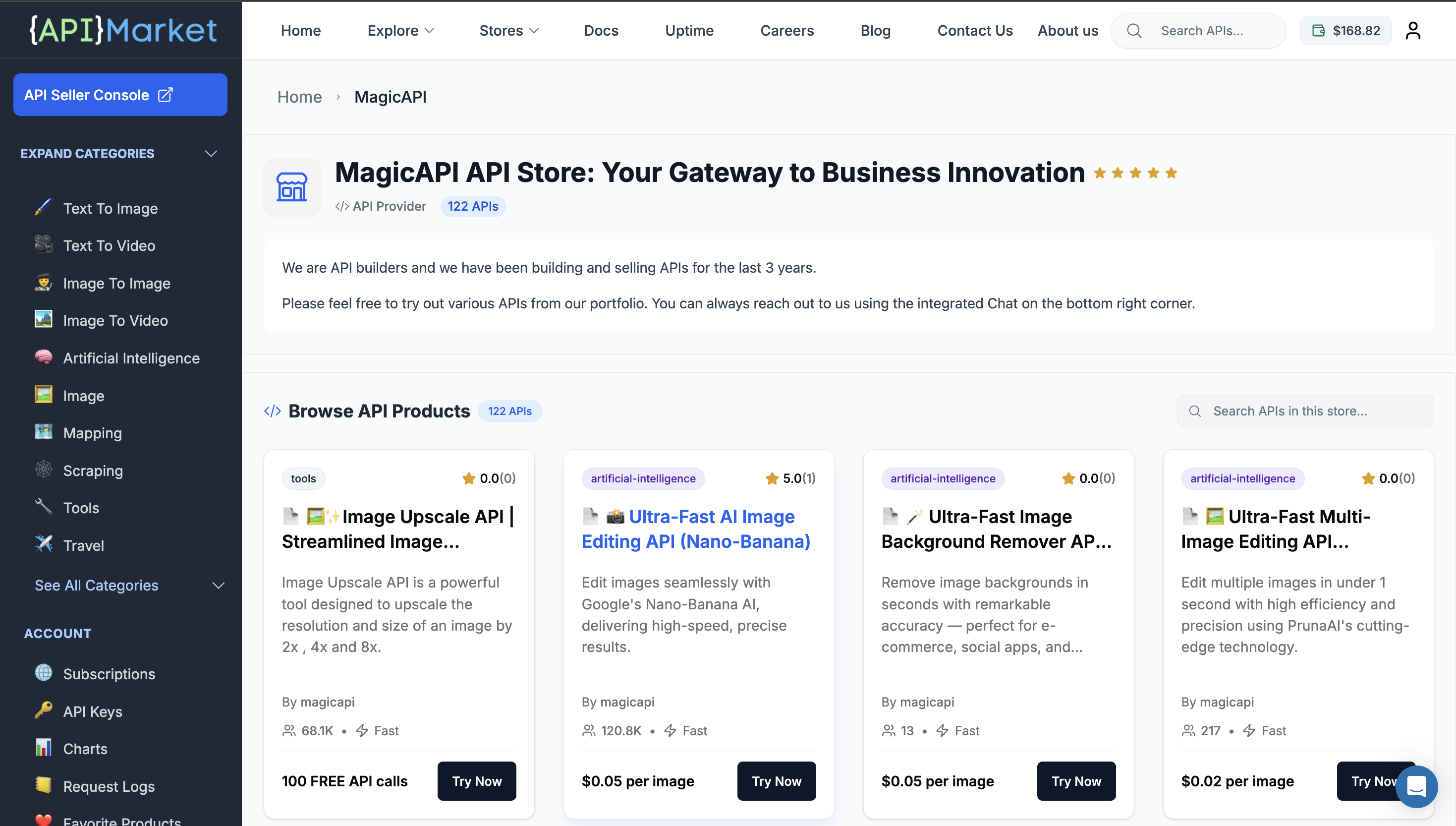
Navigate to the [API Market](https://api.market/) and find an API you want to use.
You can:
* Browse by category (AI, Payment, Communication, etc.)
* Search for specific APIs
* Filter by pricing, ratings, or features
#### Step 2: View API Product Details
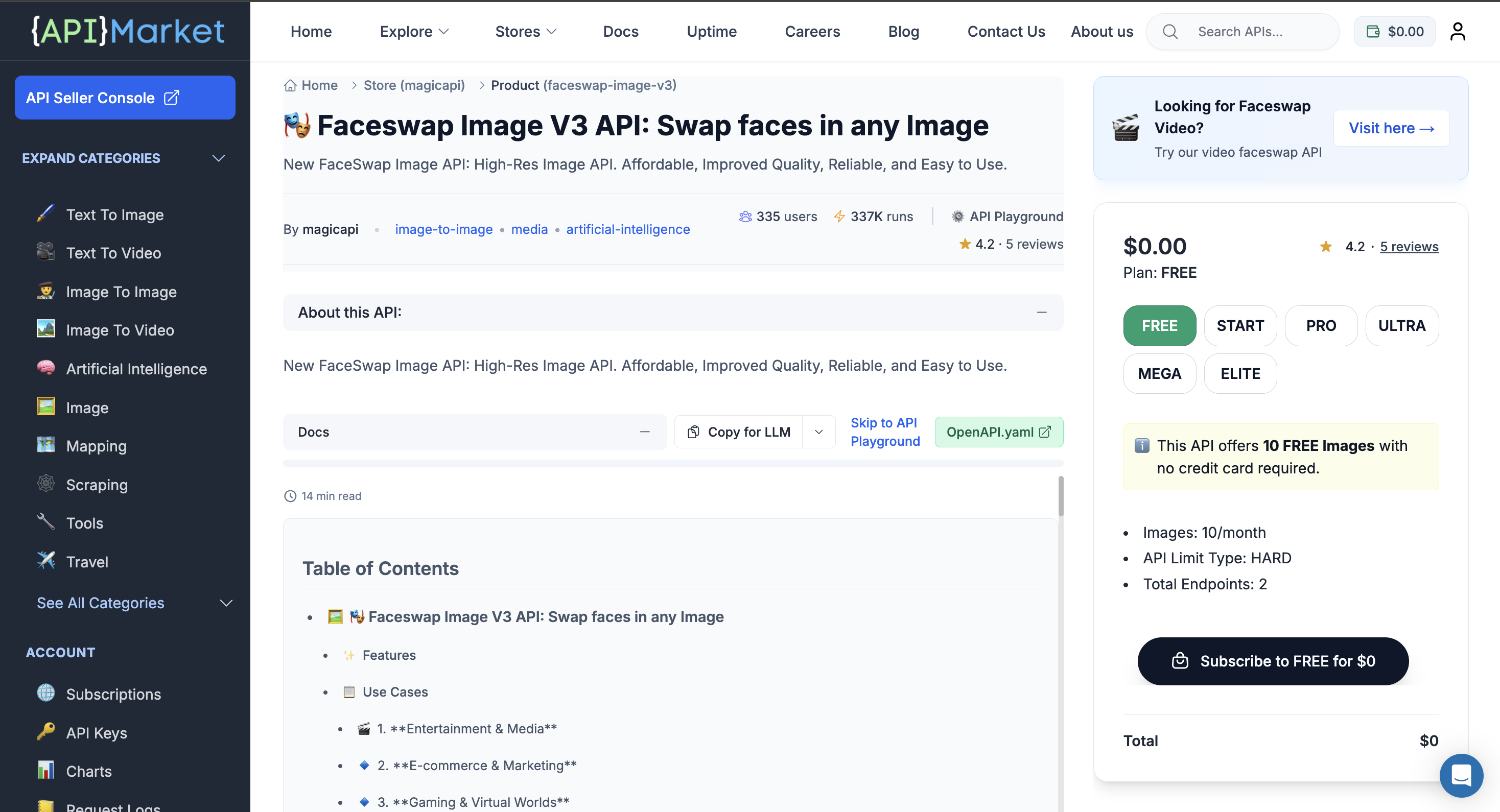
Click on any API to view its product page. Here you'll see:
* API description and features
* Available pricing plans
* Documentation and examples
* Reviews and ratings
#### Step 3: Choose a Pricing Plan
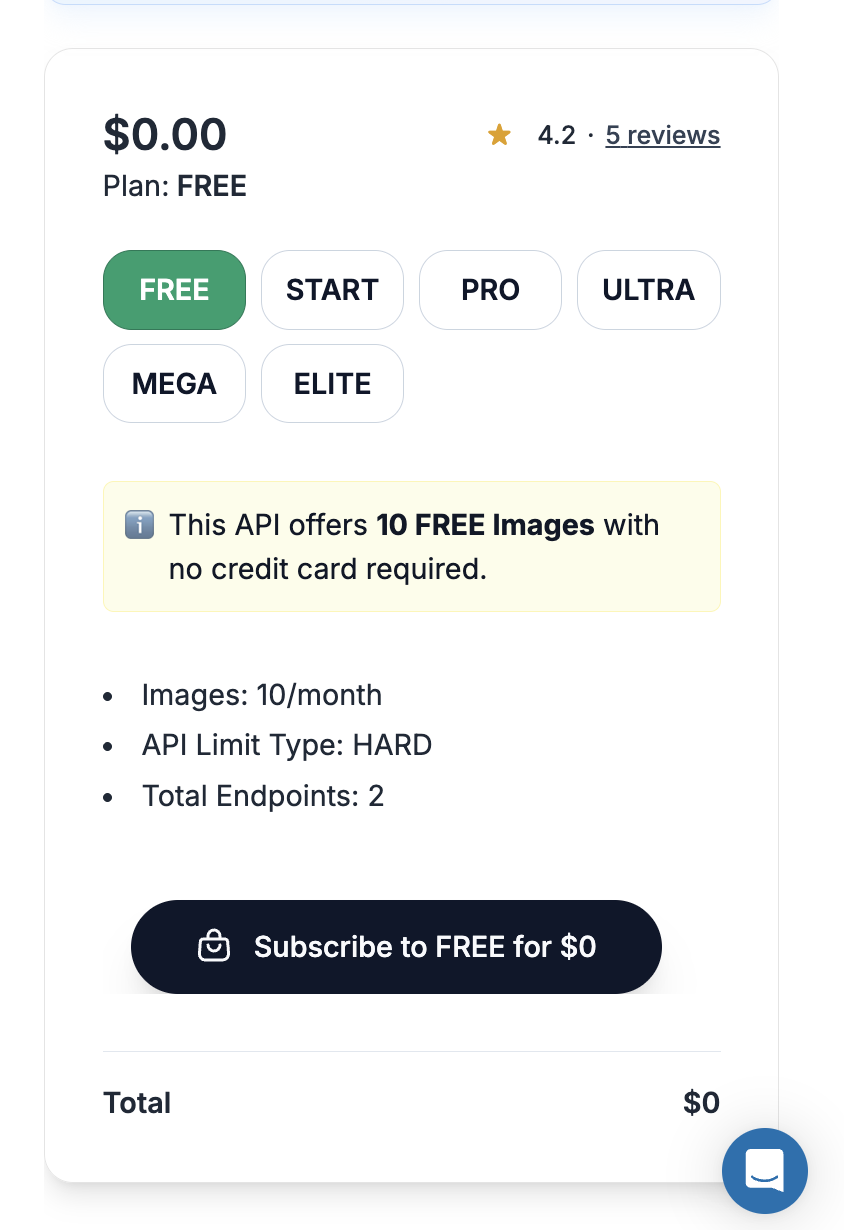
On the product page, you'll see different pricing plans available:
* **FREE** - Perfect for testing (recommended to start)
* **BASIC, PRO, ULTRA, MEGA** - Paid plans with more features
* **BULK** - For high-volume usage
{% hint style="success" %}
:white\_check\_mark: **Pro Tip:** Start with the FREE plan to test the API. You can always upgrade later!
{% endhint %}
**Plan details shown:**
* API Calls per month
* API Limit Type (HARD or SOFT)
* Total Endpoints included
* Price
***
#### Step 4: Subscribe to Your Chosen Plan
1. Click on the plan you want (e.g., "FREE" for free tier)
2. Review the plan details
3. Click the **"Subscribe"** button
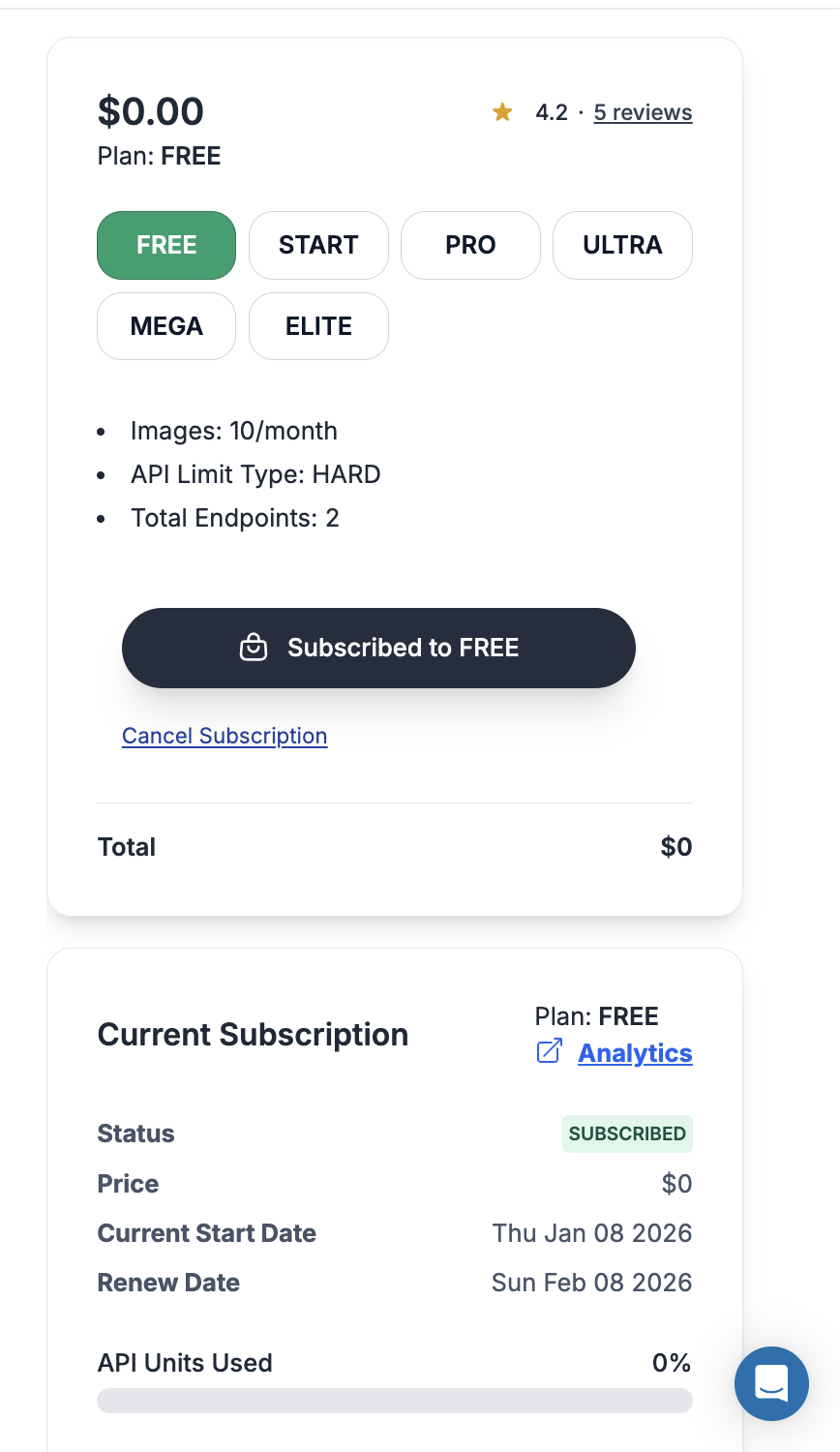
After subscribing, you'll:
* :white\_check\_mark: Receive confirmation of your subscription
* :white\_check\_mark: Get your API key automatically
* :white\_check\_mark: Access the API Playground to test
* :white\_check\_mark: See your subscription in the dashboard